Sales Goal Tracking in Salesforce — Actual vs. Target on Any Metric
Sales Goal Tracking,
100% Native in Salesforce
Put targets on the KPIs that drive your business. Whatever matters most, anyGoal holds it to a number. Reps, teams, products, regions, lead sources.
No spreadsheets. No syncing. No second login.
$12 per user per month. Install free from the AppExchange.
★★★★★5.0Perfect 5-star rating on the Salesforce AppExchange
You tried to track goals in Salesforce
Salesforce has every actual: calls, meetings, pipeline, revenue. Ask it the question that matters: are we on track to hit our number? Here is where you land.
Reports show what happened
There is no target behind the numbers. Comparing actuals to goals means custom formulas, per report, per period. Nobody maintains that.
Quotas stop at opportunities
Monthly or quarterly, on opportunity data only. The activity goals you coach reps on, and your product and region targets, have no home.
So the targets live in a spreadsheet
Set at planning, then exported to, pasted into, and emailed around all year. You are the integration, and it is stale by Monday.
Give every KPI a number to beat
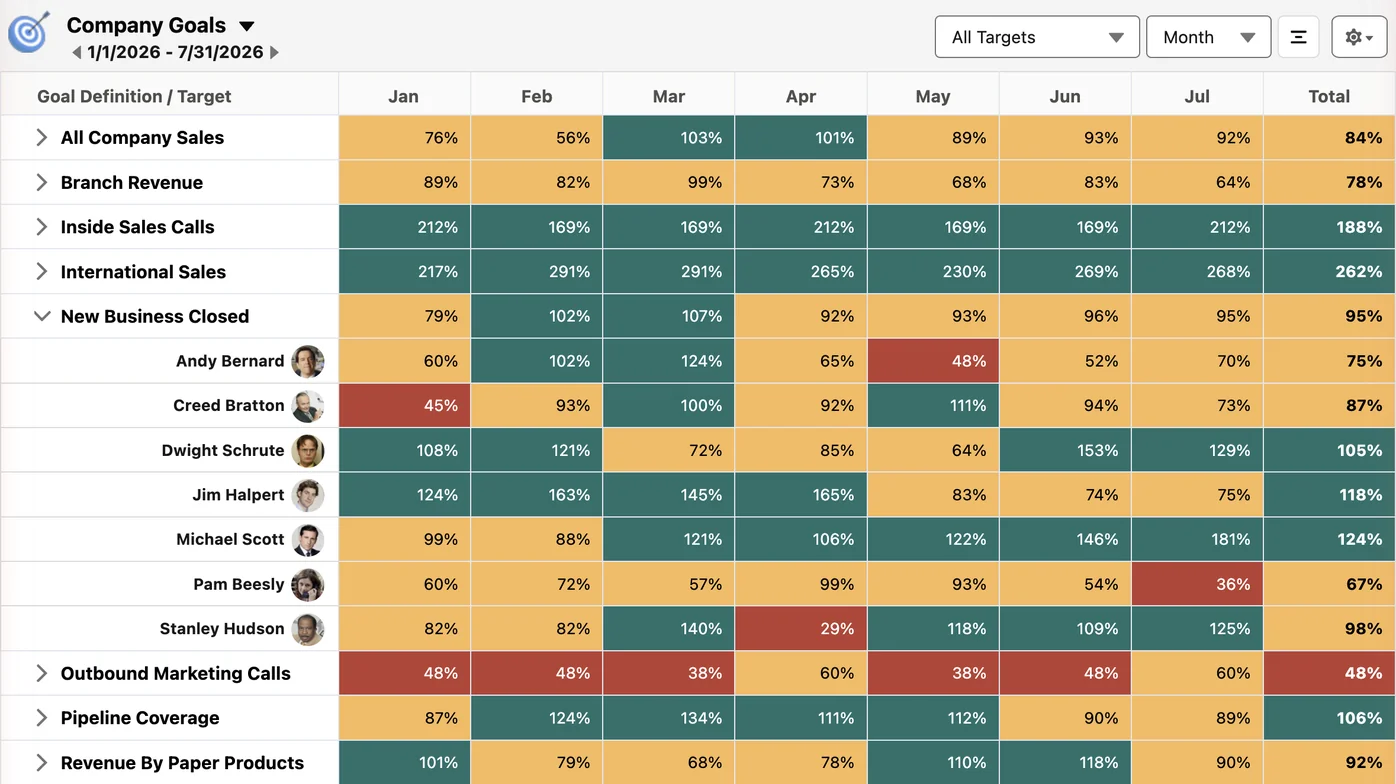
Revenue won. Pipeline created. Calls, meetings, leads, orders. If it’s a record in Salesforce, standard or custom object, anyGoal puts a target behind it and does the math: % to goal, prior period, prior year, every interval. Set the weekly target once and month, quarter, and year roll up on their own.
- Count, sum, or average any record type
- Criteria filters so only the right records count
- Daily to yearly, plus fiscal and custom periods
Targets on anything: reps, teams, products, regions
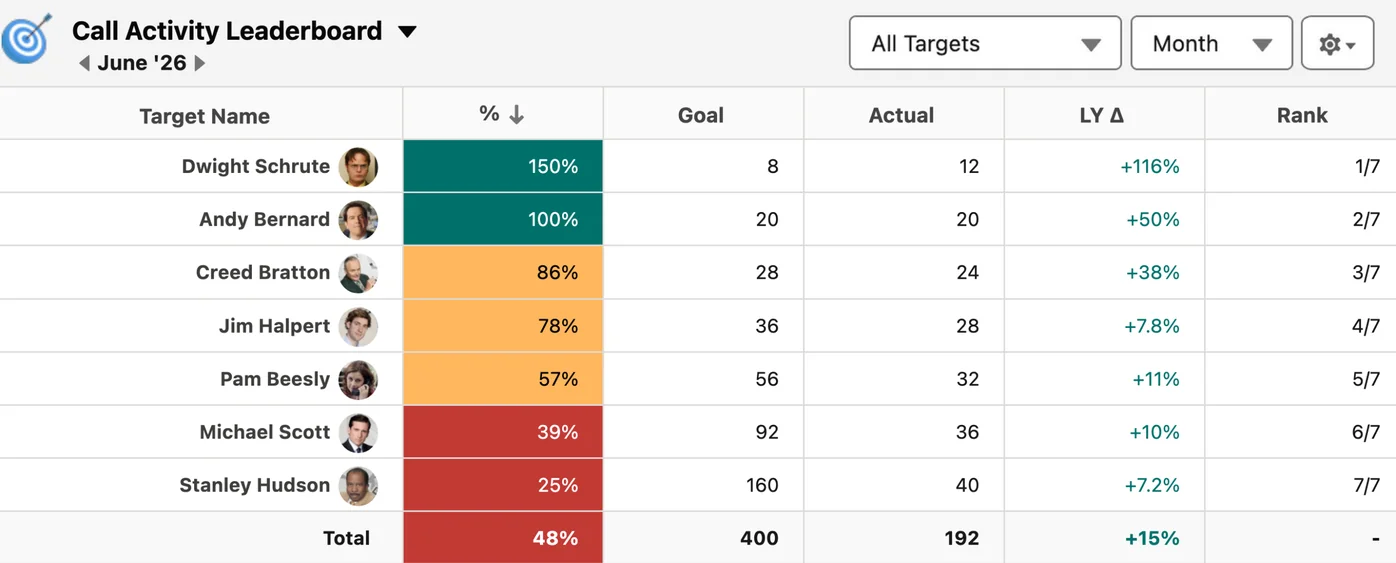
Reps aren’t the only ones with a number to hit. Branches carry revenue targets. Product lines carry growth targets. anyGoal builds the target list from any object, lookup, or picklist, or you type the targets in yourself. Each one gets its own goal.
- Target lists build themselves from your data
- Custom objects included, no code
- Every target scored, every interval
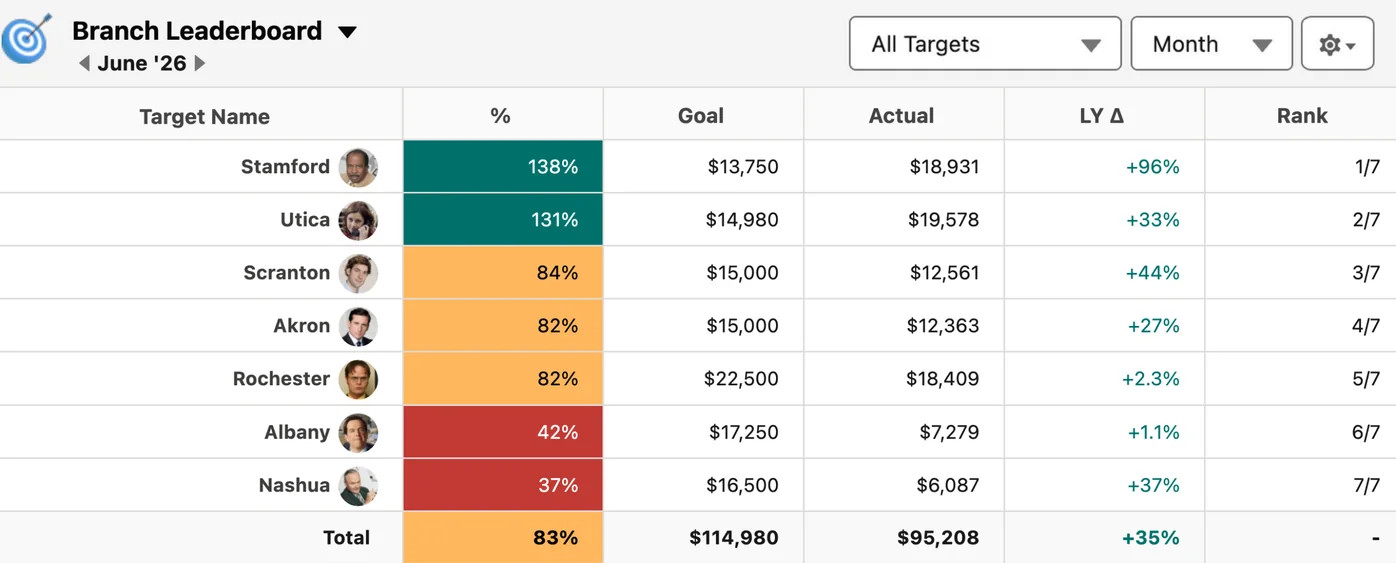
Green is on pace. Red is a conversation.
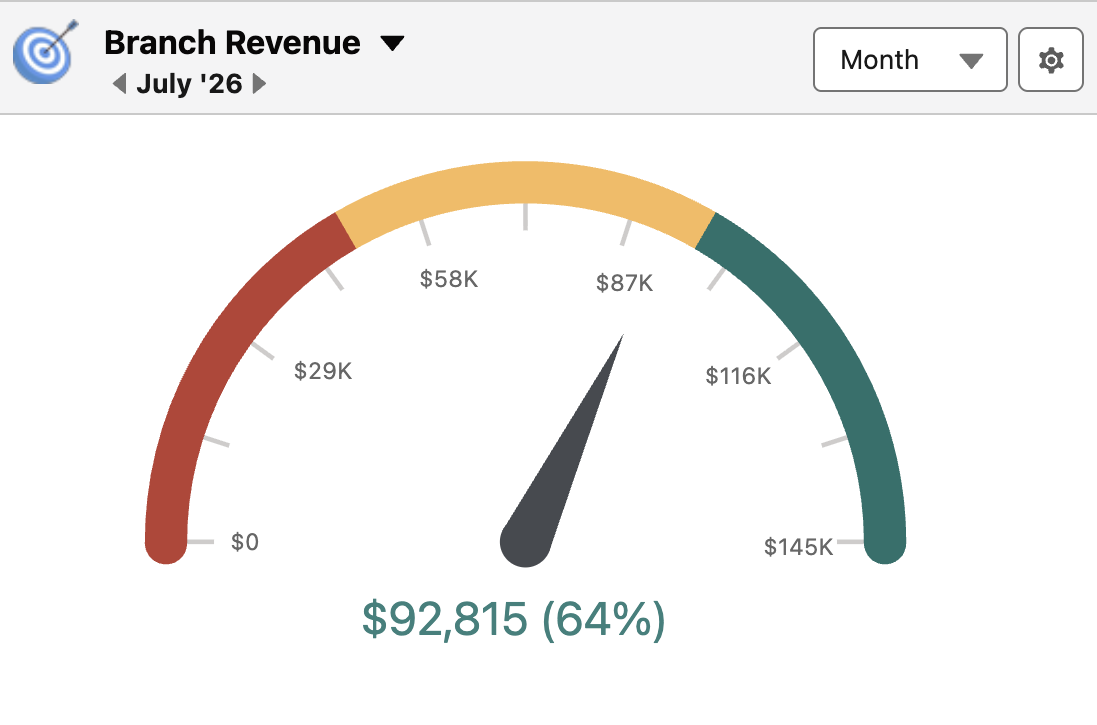
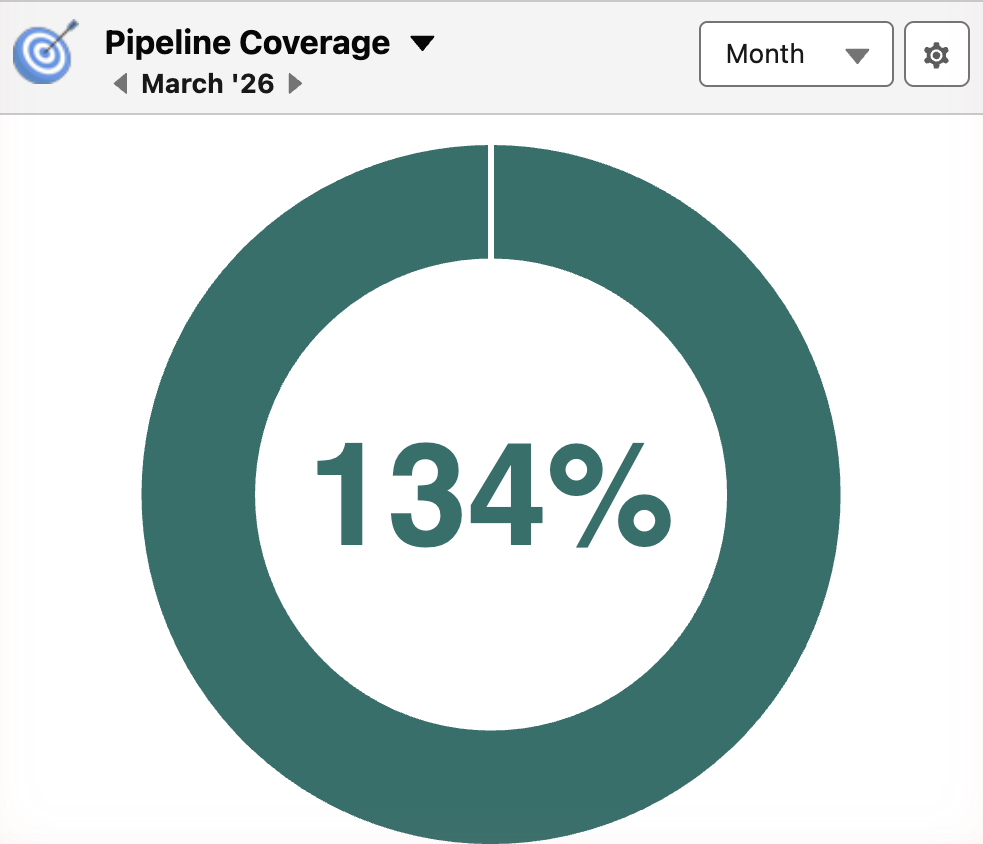
Every result is % to goal, color-coded, on whatever page your team already works in. A branch that slips in week two shows yellow in week two, not at the quarterly review. You have the conversation Monday, while the number can still move. Goals that only report the past are just reports. These change the quarter you’re in.
- % to goal on every component, always current
- One glance from home, dashboards, or any record page
- Company number down to any target in two clicks
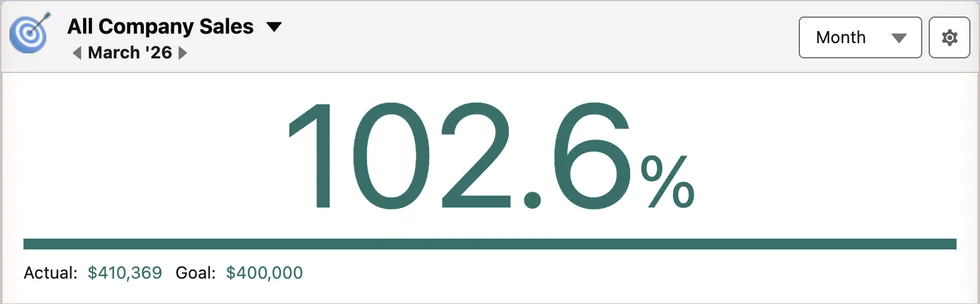
Keep quotas for forecasting. Track goals with anyGoal.
Salesforce quotas feed the forecast. Opportunity data, by rep, by month or quarter. That is their job and they should keep it. What they were never built to be is a goal system: no activity targets, no product or region goals, no weekly pace, no rollups you control. Run both. Quotas for the forecast call, anyGoal for the numbers your team works toward every day.
Goal tracking in Salesforce, side by side
Salesforce column reflects standard Sales Cloud without paid add-ons. Verified against vendor documentation and hands-on testing, July 2026.
Swipe to compare →
| Can it… | Salesforce alone | Spreadsheets | anyGoal |
|---|---|---|---|
| Put goals on any metric, not just opportunities? | ✗ forecast quotas are opportunity-based | ✓ typed and retyped by hand | ✓ any object, including custom |
| Set targets by product, region, or branch? | ✗ rep and product-family rollups at best | ✓ one more tab to maintain | ✓ any target list |
| Goals from daily to yearly, rolled up automatically? | ✗ monthly or quarterly | ✗ formulas you maintain | ✓ plus custom and fiscal |
| Update % to goal as the data changes? | ✗ build it yourself with report formulas | ✗ exports and re-entry | ✓ straight from your Salesforce data |
| Give every rep their own goal view? | ✗ forecasting hierarchy only | ✗ emailed copies | ✓ My Goals view, secured by role |
| Keep the data inside your Salesforce security model? | ✓ | ✗ copies on every laptop | ✓ role hierarchy built in |
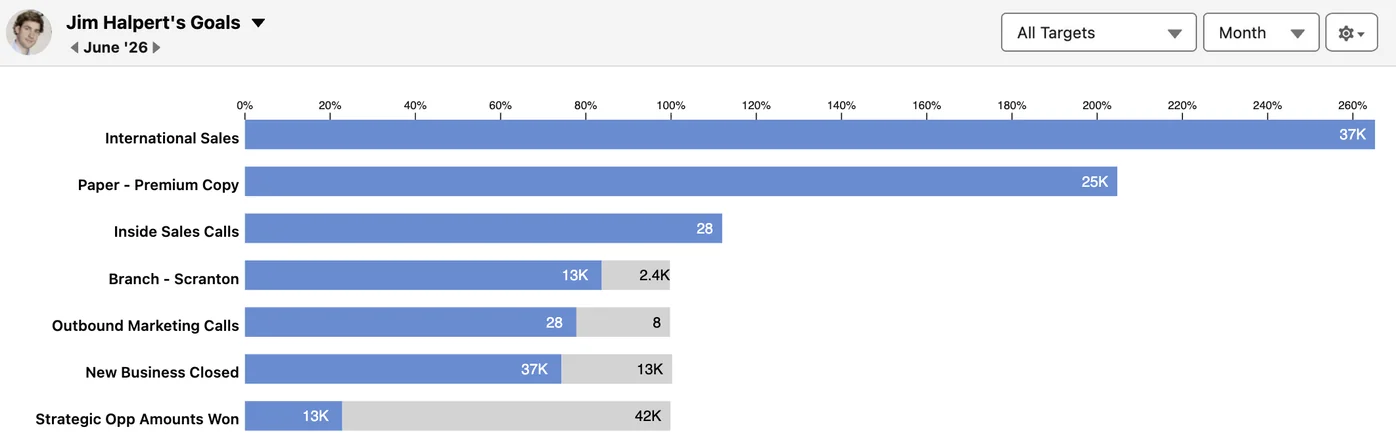
Reps see their goals. Managers see the team.
Visibility follows your Salesforce role hierarchy. No extra permissioning. Every rep gets a personal, always-current view of the goals they own. Leaders see the whole picture.
- My Goals view for every rep, out of the box
- Executive, manager, and rep views from one setup
- Every rep owns a number they can see every day

Case study: Alpine Intel, insurance intelligence
Four years of goal tracking, from company budget to individual customer
“It’s been nothing short of perfect for monitoring our company’s performance at both macro and micro levels… and enables us to measure our progress against our annual budget.”
“anyGoal gave us the framework to scale goal management across reps, customers, and companies — no spreadsheets, no delays.”
Blake Hagge, Business Operations and Strategy, Alpine Intel
How to track sales goals in Salesforce
Define your data
Pick what to measure: won opportunities, calls logged, orders fulfilled. Filters make sure only the right records count.
Set your targets
Pick who or what carries the goal: reps, teams, products, regions. Set targets for any interval, including custom and fiscal.
Drop in your components
Drag leaderboards, gauges, and matrices onto any Lightning page. Results update automatically, shared by role.
No code. No consultants. Customers call setup “a breeze” and “seamless.”
$12
10-user minimum. Non-profit and volume discounts available.
One price. No tiers, no add-ons, no upsells. Alternatives run $25 to $75 per user per month. anyGoal is $12.
- Unlimited goals, targets, and components
- 7 purpose-built Lightning components, more on the way
- Any object, any interval, full history
- Support from the people who built it. “I wish all apps had the level of support Anygoal provides!”
- Free trial on the AppExchange
“With standard Salesforce dynamic dashboards, you can only set targets once and can’t extrapolate these to view targets over a month/quarter/year. AnyGoal meets this need perfectly.”
Jonathan LaludeSalesforce AppExchange review
“AnyGoal allowed my client to track goals at the Opportunity, Quote, Account and Product level, using any date we needed… And the price can’t be beat. 10/10 would recommend.”
Krystal SalmonSalesforce AppExchange review
“Our sales team is now more motivated to reach their goals and know what’s missing to get to the next level. Highly recommend the AnyGoal app.”
Marcelo PerdomoSalesforce AppExchange review
“If your sales culture is built around goals and you already track activity in Salesforce, then this is a no-brainer.”
Mathew LabordeCEO, Elifin Realty
Questions sales leaders ask us
How do you set goals in Salesforce?
Natively you have two options. Forecast quotas: opportunity-based numbers per rep, monthly or quarterly, and that is where they stop. Or build it yourself with custom report formulas that show results without real targets behind them. anyGoal is the third option: set a target on any metric, for any rep, team, product, or region, and Salesforce data drives the actual automatically.
Can you add goals to Salesforce reports?
Reports have no target field. You can hardcode a benchmark into a formula column, one report at a time, and maintain it forever. anyGoal keeps real targets next to real actuals, per target, per period, with % to goal already calculated, and shows them in components you drop on any Lightning page.
Can you add a goal line to a Salesforce chart?
Dashboards can draw a reference line, but it is a single static number you type in, the same line for everyone. anyGoal components draw progress against each target’s actual goal, per rep, per team, per period, and update as your data changes.
Can Salesforce track goals by product, region, or custom object?
Not natively beyond opportunity-based rollups. anyGoal sets targets on any object, lookup, or picklist value, so products, regions, branches, and custom objects all get real goals alongside rep goals.
What about Salesforce quotas?
Keep them. Quotas feed the forecast and they are good at it. They are not a goal system: no activity targets, no product or region goals, no weekly pace. Most of our customers run both, quotas for forecasting and anyGoal for goal management.
How long does setup take?
Customers call it “a breeze,” “seamless,” and “minutes.” Define your data, set your targets, drop in your components. No code, no consultants. If you get stuck, support answers fast. It is the single most-praised thing in our reviews.
What does it cost?
$12 per user per month, flat, everything included, 10-user minimum. Always current on the AppExchange listing. Free trial, no payment details required.
See your goals in Salesforce in 30 minutes
Bring your targets. We’ll build the first goal with you on the call.